|
|
|
|
|
This software was checked for viruses 2 months ago and was found to contain no viruses.
Click here
to see antivirus report.
|
|
| |
|
Review
This is official description
Keep your PC running like new. PerfectDisk 12 Home Premium provides smarter defrag and optimization for all your drives and saves energy costs by reducing the use of CPU and disk I/O resources. Utilizes patented technology to eliminate most fragmentation before it occurs, speeds up defragmentation passes, and provides an optimization method specifically for SSDs.
The following review written by one of the Software Informer contributors applies to version 11.0
PerfectDisk is a program that will defrag and optimize your hard disks.
When saving and erasing files in a hard disk, the system fills in the gaps with new files, often fragmenting them into several sections to fit into the available free space. When you need to read those files, the hard disk will need to read several parts of the disk, looking for the various parts in which your system has divided it. That is a time-consuming process, and that is why defragmenting your hard disk regularly is always a good idea. The files will be put in consecutive clusters, so the task of locating and reading them will take much less.
The program will begin by letting you specify some parameters, like including removable and solid state drives in the defragmentation process, optimizing drives, and scheduling.
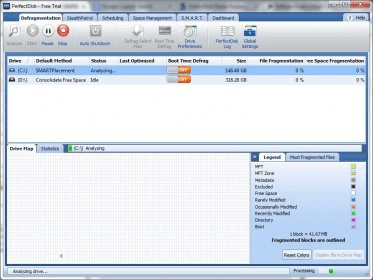
After that, it will check your drives, showing you a map of them, with clusters represented in different colors according to their state. If necessary, the program will relocate those files by saving their parts in consecutive clusters.
The installation file contains both the 32-bit and the 64-bit versions of the program. It will automatically detect your system and install the version you need. The trial version works for thirty days.
Raxco Software distributes two versions of this program: the Professional Edition and the Home Premium Edition. This review refers to the Home Premium Edition. The review of the Professional edition is available on http://perfectdisk-professional.software.informer.com/. |
- Very easy to use.
- Very fast, compared to other defrag utilities.
|
|
|
Reviewed by: Daniel Ángel Romero Reviewer rating: Reviewed: Last year
|
What's new in version 11.0
Work and play even faster. PerfectDisk 11 Home Premium has been enhanced with new features to keep your desktop, laptop or netbook running like new.
Faster Analyze
Analyze a drive up to several hundred percent faster depending on your drive, number of files and file sizes.
Enhanced large drive support
New algorithms ensure faster defrags for even the largest drives; and as always -- no extra cost, no matter how large the drive.
Enhanced Solid State Drive (SSD) support
Automatic detection of SSDs ensures these drives can be optimized for the best possible performance boost.
Enhanced StealthPatrol automatic background defrag
Optimizes drives faster and uses fewer resources than other defragmenters.
Enhanced VSS (Volume Shadow Copy Service) support
Support VSS threshold configuration lets you set a unique threshold for VSS data.
Enhanced user interface
Improved graphics and layout make PerfectDisk easier to use than ever before.
Enhanced Selected Files Defrag
You can now select up to 100 files to defrag to save time and resources if you don't wish to defrag the entire drive; great for heavily used files. What's new in version 10.0
PerfectDisk 10 provides new and enhanced features, along with easier navigation for home, SMB (Small and Medium Business), and enterprise users. You’ll find improved performance, a cleaner, more streamlined user interface, better idle time defragmentation scheduling and behavior, improved support for virtualization, and enhanced space management tools among the many changes and additions introduced with PerfectDisk 10. |
|
Report a wrong version
Report a wrong program title
Suggest a correction
|
Screenshots
All 16 screenshots |
|
|